Exporting your data
There are two ways to export, and both work any time your account is open — not only when you leave.
One is the full bulk export in Settings. The other is a quick export of what you're looking at, from the posts feed and winners vault toolbars. They sit behind separate permissions, so who can do which is your owner's call.
The bulk export (Settings → Export data)
Open Settings → Export data to download your data as CSV files, bundled in one ZIP.
Only the owner can download the full export until they grant it to someone else.
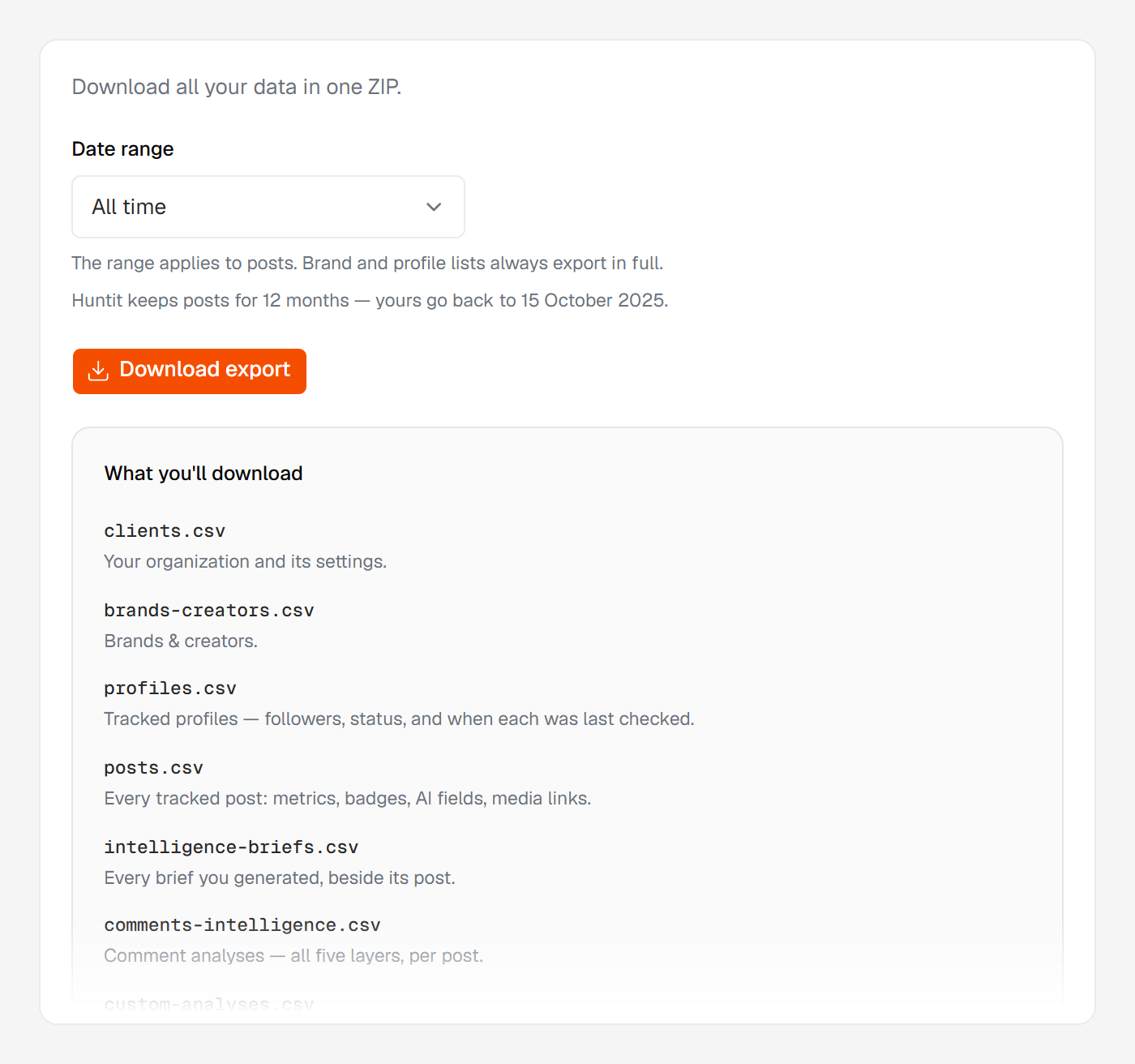
The ZIP holds eight CSVs:
clients.csv— your organization and its settings.brands-creators.csv— your brands & creators, with their status.profiles.csv— tracked profiles: followers, status, and when each was last checked.posts.csv— every tracked post: metrics, badges, AI fields, media links.intelligence-briefs.csv— every brief you generated, beside its post.comments-intelligence.csv— comment analyses, all five layers, one row per post.custom-analyses.csv— each custom analysis with the prompt that produced it.reports.csv— the index of your stored reports.
Each stored report also comes as its own JSON file under reports/, which reports.csv names. A whole report doesn't fit in a spreadsheet cell.
Only finished work is exported: an analysis that failed or is still running produced no document, so it has no row.
You can set a date range on posts — All time, the last 30, 90 or 365 days, or a custom range. It applies to posts and the analyses on them; your brand and profile lists always export in full.
Media files stay in Huntit. The post rows carry public links to the videos and images rather than the files themselves, so the download stays a manageable text bundle.
The per-view CSV (feed and winners toolbars)
Press Export CSV on the posts feed or winners vault toolbar to download the view you're looking at: your filters and sort applied, across the full filtered set, not only the rows scrolled into view. The file downloads instantly.
This is its own permission, separate from the bulk export, and it's granted to managers and members by default.
Over 20,000 rows the export is refused rather than silently truncated: Too many rows to export. Narrow the filters first.
The two are not interchangeable. The per-view CSV reaches posts only; the bulk export carries every list above, AI analyses and stored reports included.
Every bulk export is logged
Each bulk export from Settings is recorded in Settings → Activity log — what was exported, by whom, and when. The per-view CSV shows only what that member can already see on screen, so it isn't logged.
Where your data lives and who can see it is covered in your data.