Custom analysis — one prompt, whole team
Custom analysis is the one AI feature your agency shapes itself. Someone writes a single prompt — your house angle, the question you always want asked of a post — and from then on it runs on any post from the post's detail view. One prompt, configured once, available to the whole team.
Writing it and running it are separate
Editing the prompt is one permission, in Settings → Custom analysis. Running it on a post is another. Your owner decides who holds each, so someone may well run the prompt every day without being able to change it.
What they read there is "You can't edit this prompt. Your agency owner decides who can." — or, before any prompt exists, "No custom analysis prompt yet. Your agency owner decides who can set one up."
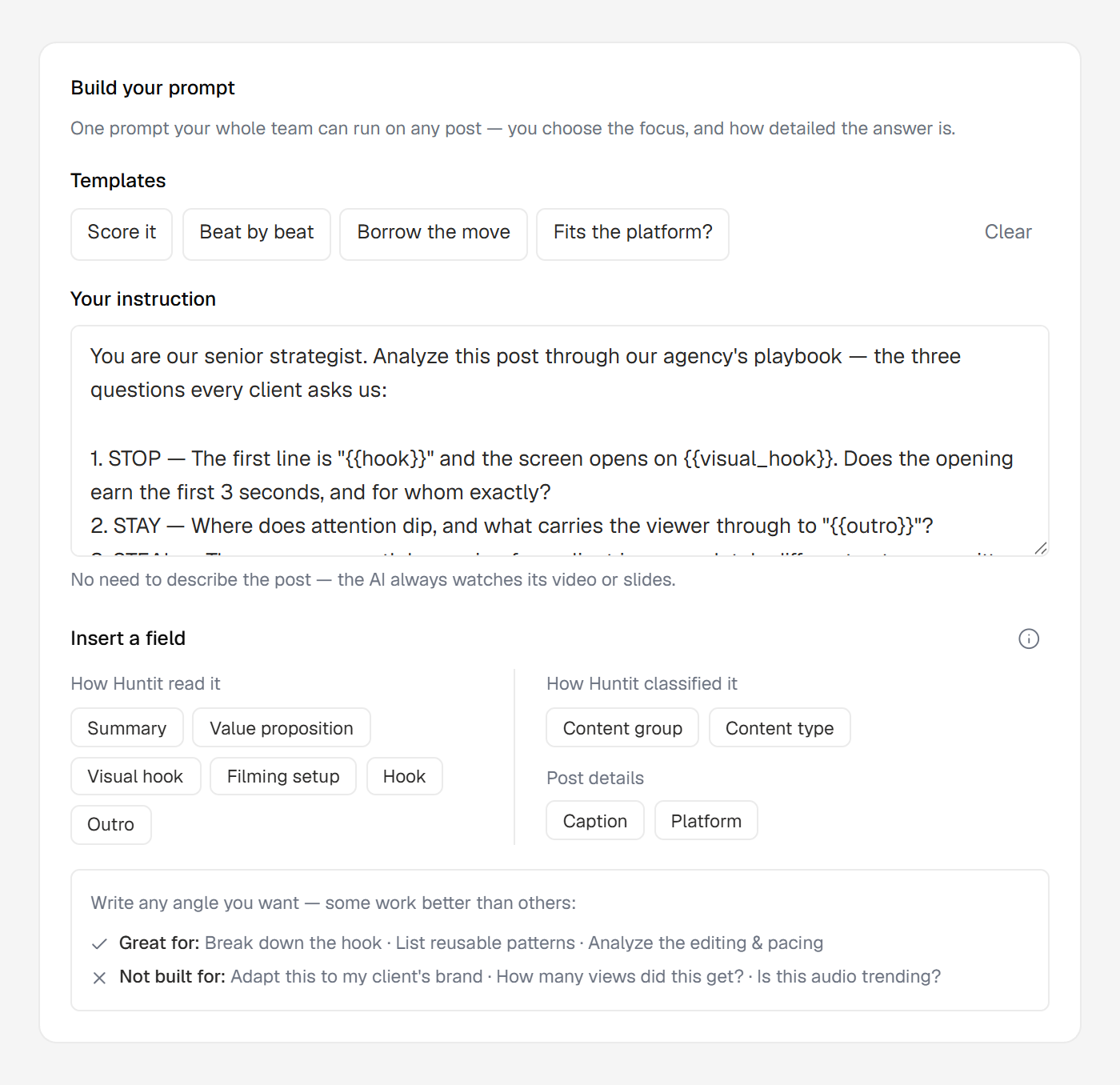
The output is freeform. Unlike the intelligence brief's fixed seven sections, custom analysis has no set structure — your prompt decides the shape of what comes back.
On success the modal swaps to a reader showing the result, with a collapsed "Prompt used" block so anyone reading the run can see exactly which instruction produced it, and a Re-run in the header.
The media is always attached — plus optional chips
Every run attaches the post's media directly, so the AI always watches the actual video or carousel. You never have to describe the post.
On top of the media, your prompt can pull in Huntit's own read of it through click-to-insert {{token}} chips: the summary, the value proposition, the hooks, the content group, the caption and so on. They're opt-in — the default is just the media and your instruction, and you add only the fields you want.
There's deliberately no metric or audience chip. That data isn't there for the AI to use, and leaving it out is how the boundary stays visible.
Same limits as the other analyses
Custom analysis runs on the same honesty floor as the rest — see the ground rules. It isn't offered on a video over the 5-minute AI-analysis limit, like the brief.
Only the latest run shows — history isn't browsable — and only successful runs count toward your monthly usage.