Your account and organization settings
There are two kinds of settings: the ones about you, and the ones about your organization.
Your personal details
Your name and email come from the invite that created your seat, typed by whoever added you. There's no in-app editor for either. If your name is wrong or your email needs to change, request support.
Your organization's details
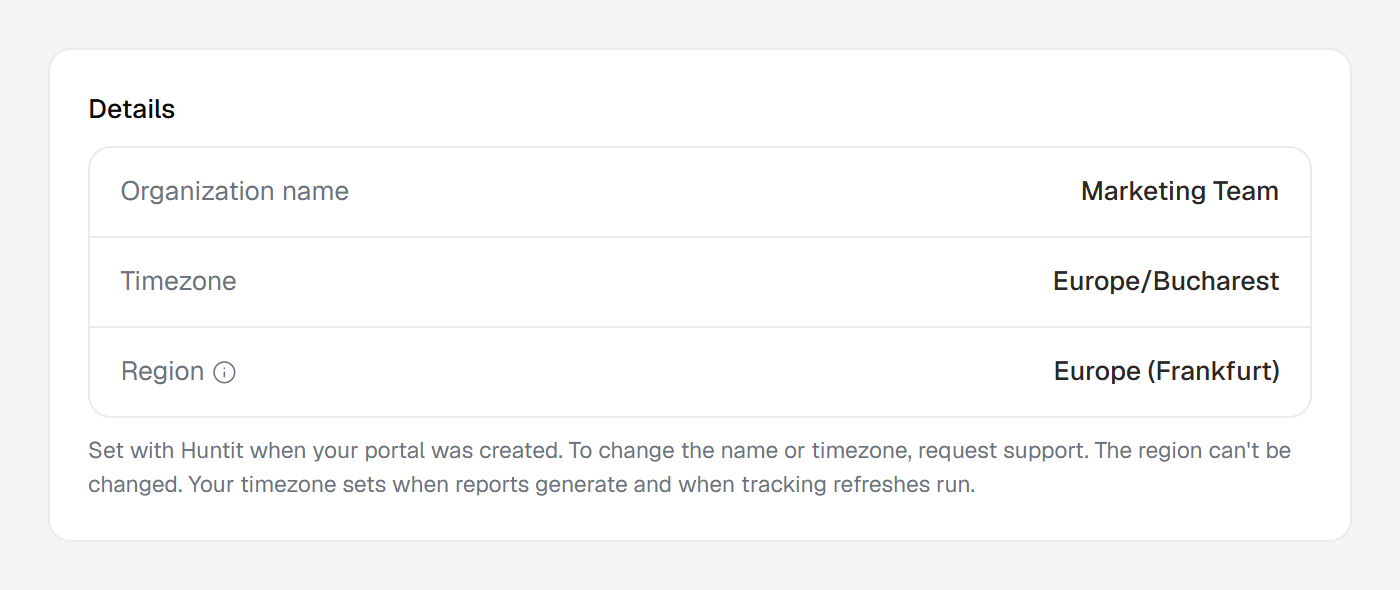
Open Settings → Organization to see the details your portal runs on: organization name, timezone, region and AI language. Everyone on your team except a viewer can see them. The region can't be changed; for anything else, request support.
Your timezone sets when reports generate and when tracking refreshes run.
Your AI language is what your team's analyses are written in. Below it, Your language lets you pick a different one for the analyses you run; everyone else keeps the organization's.
Below them sits your organization's own form: Tracking, Industry, Language and Notes. Tracking pauses or resumes all collection. Language shows only when your AI language isn't English. Anyone allowed to manage brands edits the form; everyone else sees all of it but Notes, read-only.
Language sets what your reports and the AI read of each post are written in; the analyses you run follow the AI language above. See Huntit and your language.
Your logo
The logo is fully self-serve in the same panel. It's the mark shown in your sidebar and on the header of every report you share.
Changing or removing it sits behind its own permission, granted to managers by default, so your owner decides who holds it. Everyone else except a viewer sees the panel and the current logo.
Uploading, previewing on the on-white background and removing are covered in adding your logo.