Sharing a report with your client
You share a report by copying its secure private link and sending it yourself — in an email, a Slack message, wherever your client already is.
Your clients never log in to Huntit. Holding the link is the access: whoever has it opens the report, with no account and no password. That's by design — the report is the client's only window into Huntit, and it's built to cost them nothing.
Copying the link
Open the report in Agency view. Copy share link, at the trailing edge of the report's toolbar, puts the private URL on your clipboard — a toast confirms: "Share link copied."
Huntit never emails your clients — you always do the sending.

Preview before you send
Switch to Client preview first and read it. That's exactly what your client opens: same numbers, client-reader words, the built-in Dictionary.
Sending after a preview means no surprises — see agency view vs client preview for the full difference.
Safe in email and Slack
A pasted link renders cleanly. Its preview card carries the client name, the report name, the period and your agency name — in the client's own language, so a Romanian client reads "Ironclad Supplements — Raport lunar · iunie 2026 · MARKETING AGENCY" before opening anything.
No metric values ever appear in that preview, so a link pasted into a thread never leaks a number before the report is opened. The report is kept out of search engines too.
Their one window
The link is the whole deliverable, and it's the client's only window: one report, co-branded with your logo beside theirs — their own logo, or their brand's profile picture when they haven't uploaded one — no navigation into anything else, no month-switcher, no login. You share the Monthly report's link each month and the Quarterly report's link each quarter — each report is one document behind one link.
What plays inside the report
A video post rests as a still image with a play circle. Pressing it mounts the platform's own player — YouTube, TikTok, Instagram or Facebook — inside the report; Huntit never serves its own copy of the video.
Nothing is requested from any platform until that press. Once it happens, that platform can set its own cookies and sees your client's IP address, and a permanent line under the still says so before they press.
Carousels never embed. Their slides open in the report's own viewer.
Printing to PDF
Some clients want a file for an inbox or a board deck. The share page prints straight from the browser: a quiet print button sits on the page, and Ctrl+P works too. There's no separate PDF export and no file to manage.
Print carries the story layer: the cover, the default-open sections, and the built-in Dictionary, which opens automatically for the printout.
The interactive layers don't print — the "N more winners" reveals and the appendix log — and each leaves a one-line pointer back to the online report. Printing is a convenience and honest about being one: the page is built for the screen, and the live link stays the complete artifact.
Revoking a link
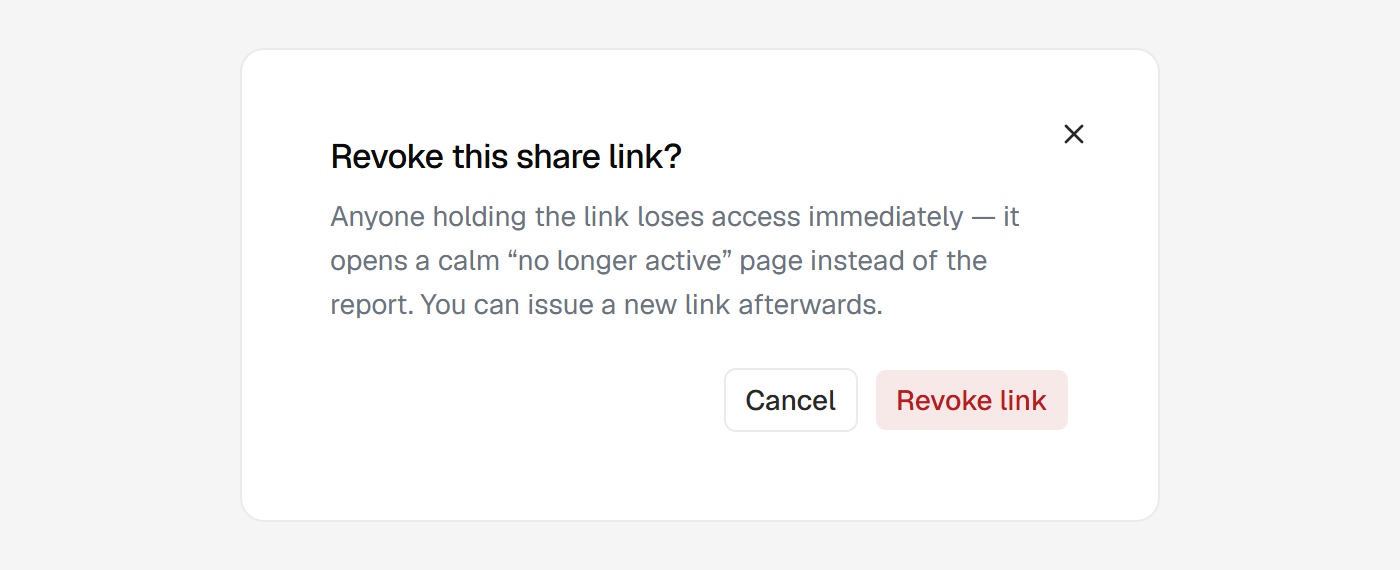
If a report link reaches the wrong person, revoke it and access dies instantly. Open the report in Agency view and use Revoke in the toolbar; a confirm step explains what happens.
Anyone holding the old link then lands on a calm, agency-branded page:
This report link is no longer active. Contact your agency for a current one.
It's never a raw error page, and it reveals nothing — not whose report it was, not that a report ever existed there.
Links don't expire on their own. A report you shared months ago stays open at its link until you revoke it. There's no window your client has to open it within.
Issuing a new link
After revoking, the toolbar shows Issue new link. Clicking it mints a brand-new link for the same report, contents untouched.
That's the recovery for a leaked or mis-sent link — the old one is gone for good and can never be reactivated — and for an accidental revoke. Issuing always replaces, so there's only ever one live link per report.
Revoking and issuing are the only two changes you can make to a stored report. Everything else about it is frozen at generation.