The velocity radar
The velocity radar catches videos that are taking off right now — your earliest signal that something is climbing.
It reads speed, not size. A video shows up here because it's gaining faster than its own profile normally does, whatever its raw numbers look like.
That's the framing, in Huntit's own words: rising is a head start, not a verdict. The radar points you at what to watch; the winners vault is where the verdicts land.
"Usual pace" and the ×N multiple
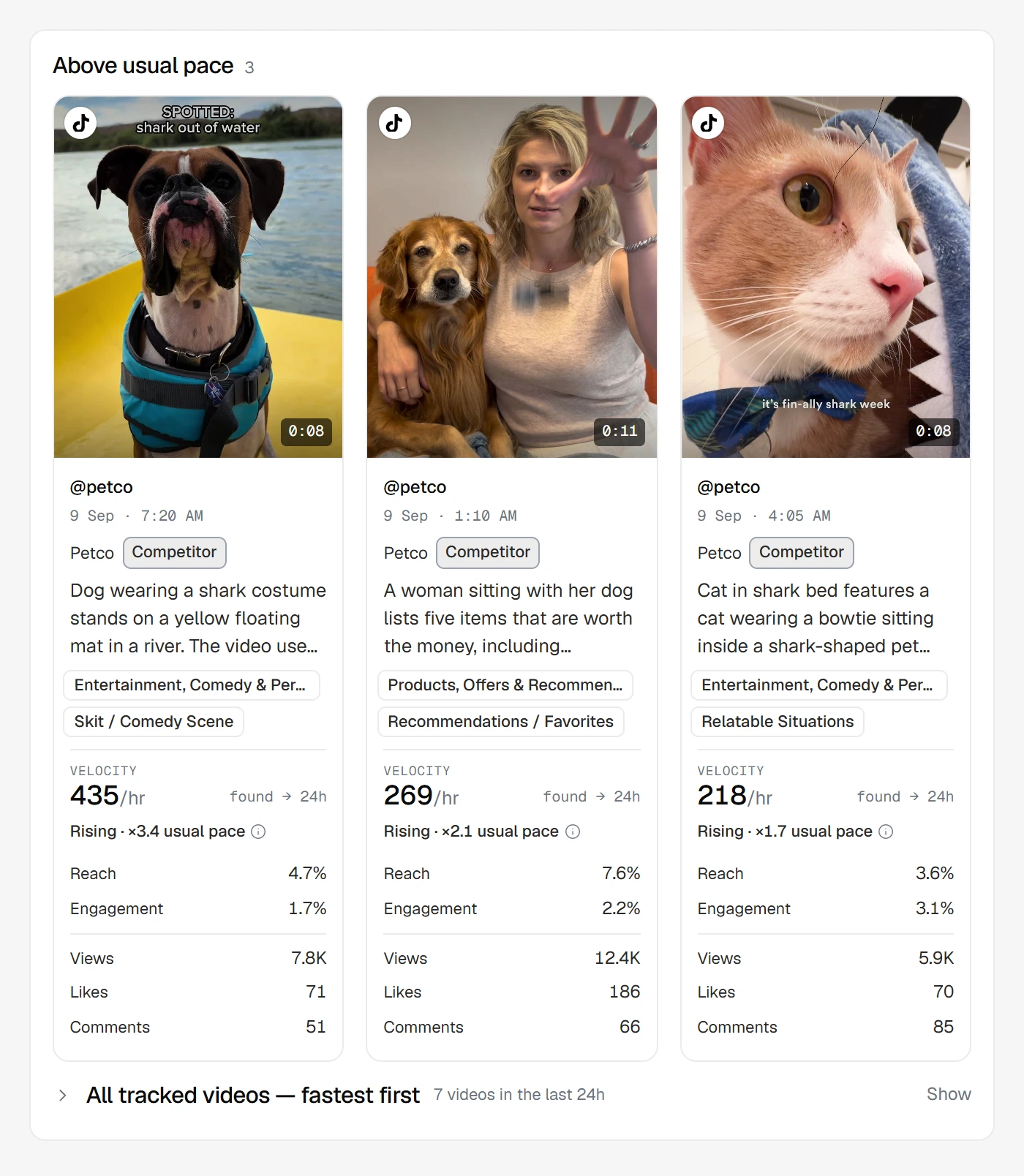
The radar compares each video to its own profile's usual pace — never to other accounts, and never to a fixed number.
A video's card shows how it's doing as a multiple, like ×3.4 usual pace: its fastest hour so far is running 3.4 times the profile's usual fastest-hour speed. Hover the words "usual pace" and a tooltip names the base it's measured against.
A video is marked Rising when its fastest hour so far matches or beats the fastest hours of 8 in 10 of its own profile's earlier videos.
That's the whole test — profile-relative, like everything else in Huntit. A small account's video can be Rising while a huge account's isn't, because each is racing only its own history.
"Learning usual pace · N of 10 videos"
A profile needs a bit of its own history before "usual pace" exists — and only videos we watched while they were live count, since speed is read between check-ins. Posts that were already older than 30 days when you added the profile were never watched, so they contribute nothing here.
Until 10 watched videos exist the radar makes no rising call for that profile, and its posts read Learning usual pace · N of 10 videos — for example Learning usual pace · 6 of 10 videos.
That's an honest "not enough history yet", not a fault. At 10 its usual pace unlocks and rising calls begin.
Per-platform tabs
Speeds aren't comparable across platforms, so the radar separates them into tabs — TikTok, Instagram, YouTube, Facebook — with no all-platforms view. It opens on the platform with the most tracked videos in the selected window.
The radar covers video only: a deliberate scope choice for a surface about acceleration.
Why the short windows can be empty
The window picker runs Last 24h (the default), 12h, 6h, 3h, and 1h. Switching to 1h and finding it empty while 24h is full is expected, not broken.
Speed is measured between tracking check-ins, so a video needs a fresh one before it has any speed to show. The shorter the window, the more it leans on very recent check-ins — and only profiles on faster tracking cadences get checked often enough to appear there. Huntit's own empty state says as much:
Very recent posts need a tracking check-in before their speed shows. Try a longer window, or check the other platform tabs.
A paused client disappears from the radar: it only shows profiles that are collecting. The winners that client already earned stay in the vault.
A sparse 24-hour window, or a quiet platform tab, is a real reading too. A quiet day is honest — the radar never pads itself with posts that aren't actually rising. Widen the window, check another platform tab, or come back after the next round of check-ins.
How it differs from the winners vault
The vault is the settled record of what won; the radar is the live feed of what's accelerating.
A badge is a verdict that takes time — the Engagement badge waits until day 3, and a fresh profile may still be calibrating. So the radar can show you something days before the vault is able to.
A post can be Rising today and never earn a badge, if the surge fades. Or it can quietly earn one later without ever having looked dramatic on the radar. Use the radar to catch things early, the vault to see what actually cleared the threshold.
With Huntit connected to Claude, you can ask what's rising right now rather than reading the tabs yourself.