The winners vault
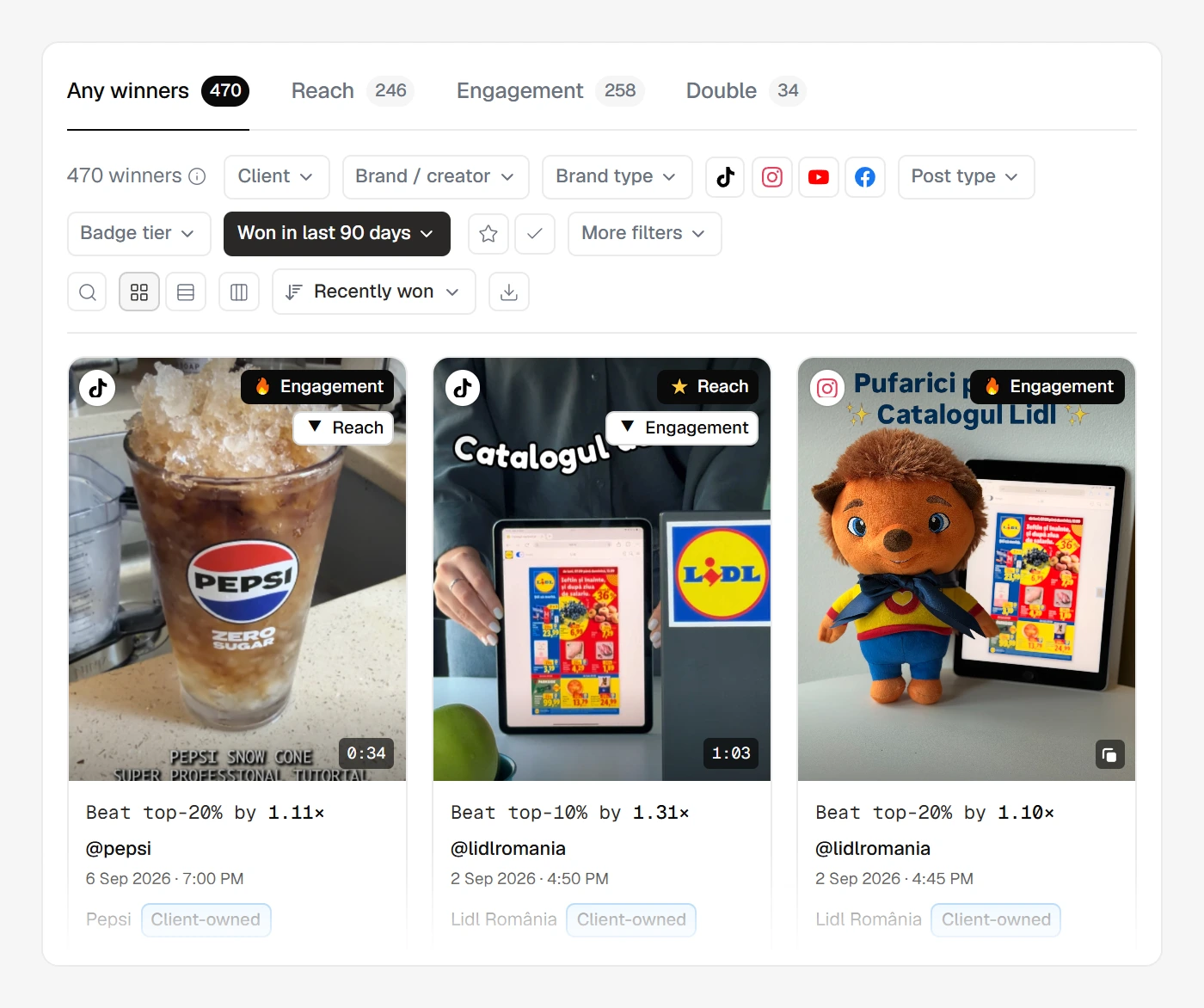
The winners vault is where every badged post lives — a single, cross-client, cross-platform browse of your winners.
By default it spans all your clients at once. The badge already equalises every winner to "top performer in its own context", so mixing them is meaningful. Narrow to one client — or brand, platform, badge tier and more — whenever you want.
The four modes
The top of the vault has four mode tabs — the strategic lens you're looking through:
- Any winners (default) — every post with a badge on either axis.
- Reach — posts that earned a Reach badge: they spread wide.
- Engagement — posts that resonated: a high share of the people who saw them reacted.
- Double — Double Winners: a badge on both axes.
Platform is a filter in the toolbar here, not a tab.
The Reach and Engagement tabs carry two switches at the right end of the tab row, both off by default: one hides the posts that also hold the other axis's badge, the other keeps only that tab's shape — high reach with very low engagement, or high engagement with very low reach. While either is on, the count above the list says how many winners it hid.
One consequence to know: Instagram carousels and Facebook photos have no Reach axis, so they never appear in Reach mode — there's no Reach badge for them to carry (see Pools). TikTok carousels are different: TikTok publishes their view counts, so they earn Reach like any other TikTok post.
Two different time clocks
This is the subtle part of the vault, and it trips people up. There are two dates in play, and they answer different questions:
- Recency (the time filter, default Last 90 days) resolves on the won date — when did this post earn its badge? A badge's verdict can land as late as the post's day-30 finish, and a calibration back-fill can stamp older posts, so the won date is the honest way to ask "what have we won lately." Options run Last 7 days / Last 30 days / Last 90 days / All time.
- Post date is a separate filter under More filters — when was the post published? Use this when you care about the content's age rather than when it was crowned.
So a post published months ago can still show up in "Last 7 days" recency if it only just earned its badge. That's correct, not a glitch.
In Any winners mode the window reads the latest badge a post earned. So an older winner that upgraded its tier, or that just won its second axis, lands inside it too.
That's why this count can run higher than the new winners number on your overview, which counts only first wins. The two answer different questions.
Ordering the list
Two named lenses open the Sort control. Both are descending-only and work the same in every mode:
- Recently won (default) — newest win first, ordered on the same won date the recency filter uses.
- Biggest overperformers — ranks by how far each post beat its own profile's threshold (its value over that threshold). This surfaces the posts that most dramatically outdid their profile's normal, regardless of raw size.
Because "biggest overperformer" is measured against each profile's own threshold, a small profile's blowout can top the list over a large profile's solid-but-ordinary post — the same own-history fairness that runs through all of calibration.
Four more options order the list by a column the table shows — Reach, Engagement, Badges and Date posted. In table view the column headings do the same job: click one to order by it, click it again to reverse. The choice rides in the page address, so a link a colleague opens shows the same order.
Sorting only changes the order — the recency window and the filters decide which posts are in the list at all. And because the vault ranks each post against its own profile's thresholds, it offers no "most views" order; raw counts live in the posts feed.