Your account and agency settings
Huntit keeps two kinds of settings — the ones about you, and the ones about your agency. Most of them are read-only, and this article says plainly which you can change yourself and which go through support.
Your personal details
Your name and email come from the invite that created your seat — the owner set them when they added you. There's no in-app editor for either; the account menu in the sidebar carries your identity and Sign out. If your name is wrong or your email needs to change, ask the owner or request support.
Your agency's details
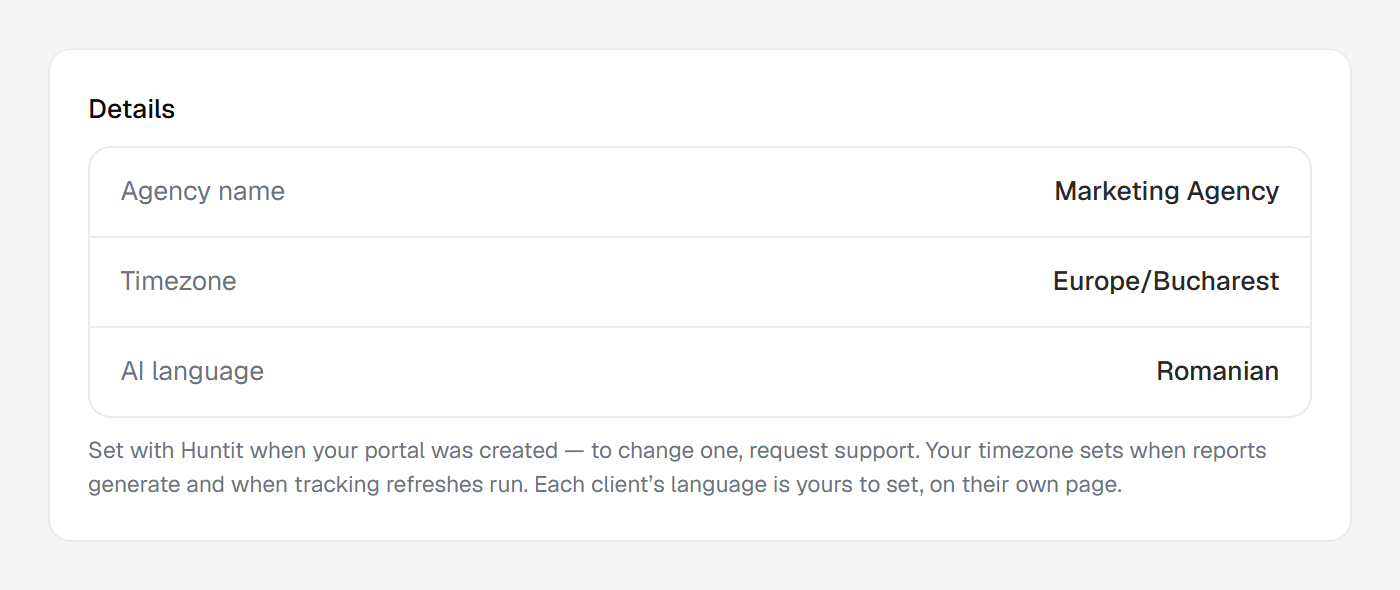
Open Settings → Agency to see the details your portal runs on: agency name, timezone, and AI language. These are visible to anyone but read-only, with a note explaining why:
Set with Huntit when your portal was created. To change them, request support — schedules, reports, and AI output are tuned to them.
That dependency is why they aren't a casual toggle. Your timezone drives when things refresh and when reports arrive. Your AI language drives what your agency's own analyses are written in, and it's the default each new client inherits.
Changing either is a deliberate support motion, so nothing shifts silently underneath your data.
Each client's own language is self-serve on the client's page — see Huntit and your language.
The one self-serve exception: your logo
The agency logo is the exception: it's fully self-serve in the same panel. It's the mark shown in your sidebar and on the client-facing report header.
Changing or removing it sits behind its own permission, granted to managers by default, so your owner decides who holds it. Everyone else sees the panel and the current logo.
Uploading, previewing on the on-white background and removing are covered in adding your agency logo.