Getting around — the sidebar and where everything lives
Huntit's left sidebar is your map: your content pages on top, the app's own chrome in the cluster at the bottom. Almost everything you look at is one click from here.
The content pages
Grouped top to bottom in the sidebar:
- Overview — your per-client morning briefing (the home page).
- Posts feed — every tracked post, filterable and searchable.
- Winners vault — the badged posts.
- Velocity radar — posts accelerating right now.
- Reports — the monthly and quarterly deliverables.
- Clients and Profiles — the entities you track.
You can collapse the sidebar to a narrow icon rail from the button at the bottom.
The Settings modal
App configuration doesn't live in the sidebar — it lives in one Settings modal, opened from the gear in the bottom cluster. The gear lands on the Agency panel first, and an internal rail switches between eight:
- Agency — your logo, behind its own permission, and your read-only details (name, timezone, AI language).
- Custom analysis — the agency's own AI prompt; writing it is a permission your owner grants.
- Huntit MCP — your connection address for bringing Huntit into Claude.
- Credentials — your four provider keys and their states.
- Billing & costs — what your usage costs at each provider.
- Members & roles — your team roster, and the four roles with what each may do.
- Export data — the bulk export (a ZIP of CSVs), behind its own permission.
- Activity log — a read-only audit of deletions, tracking pauses, exports, and ownership transfers.
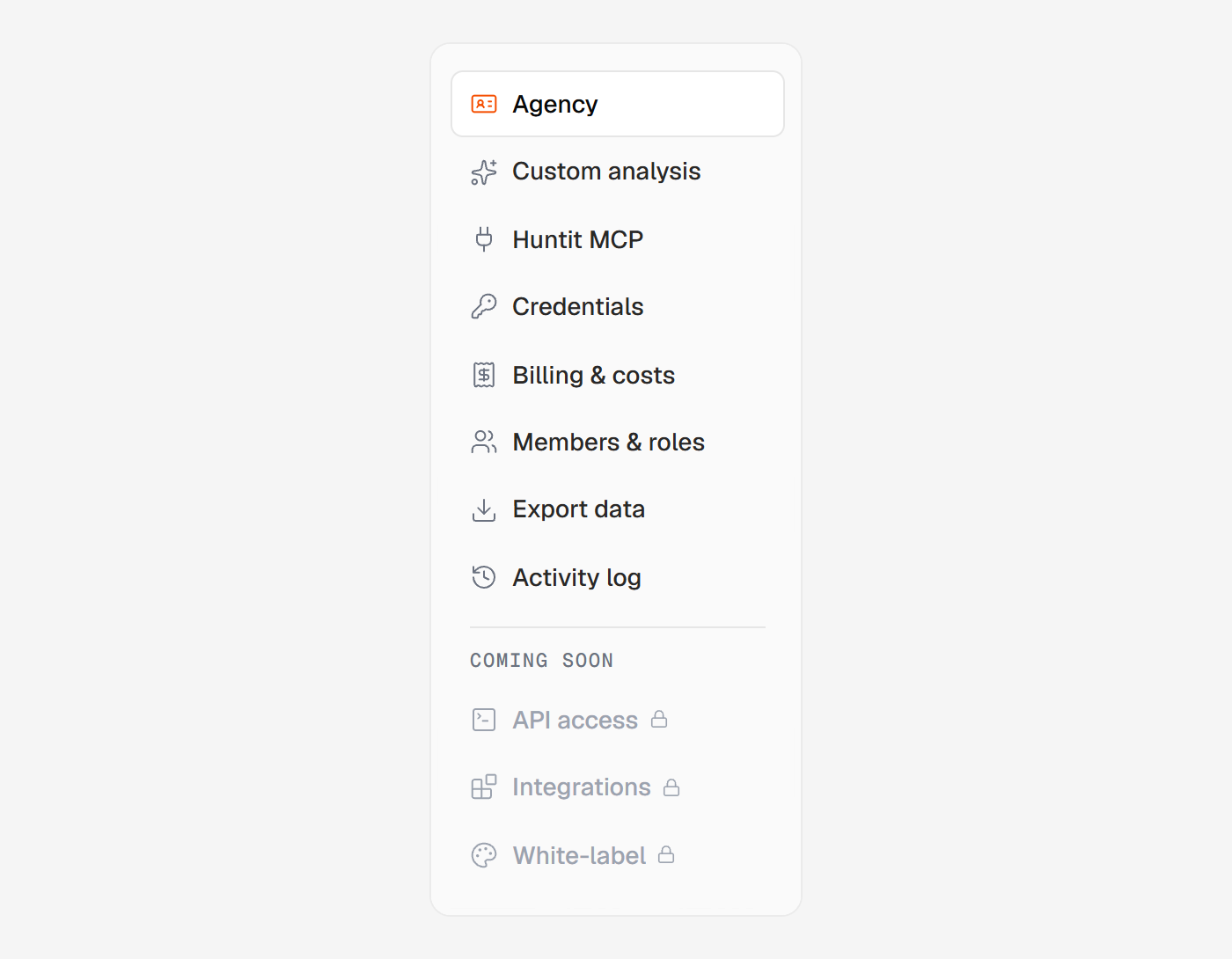
Below them, a separated "Coming soon" group marks what isn't built yet. Those items are non-clickable, so you can see what's on the way without wondering whether something is broken.
The bottom cluster
Besides the gear, it carries:
- The notification bell — everything that needs you.
- A help popover, holding Huntit's announcements and a way to request support.
- A shortcut to the Huntit MCP panel.
- Somewhere to send feedback — ideas and feature requests.
- Your account menu: your name, your email, and Sign out.